Introduction to Blink Outdoor 2K Plus
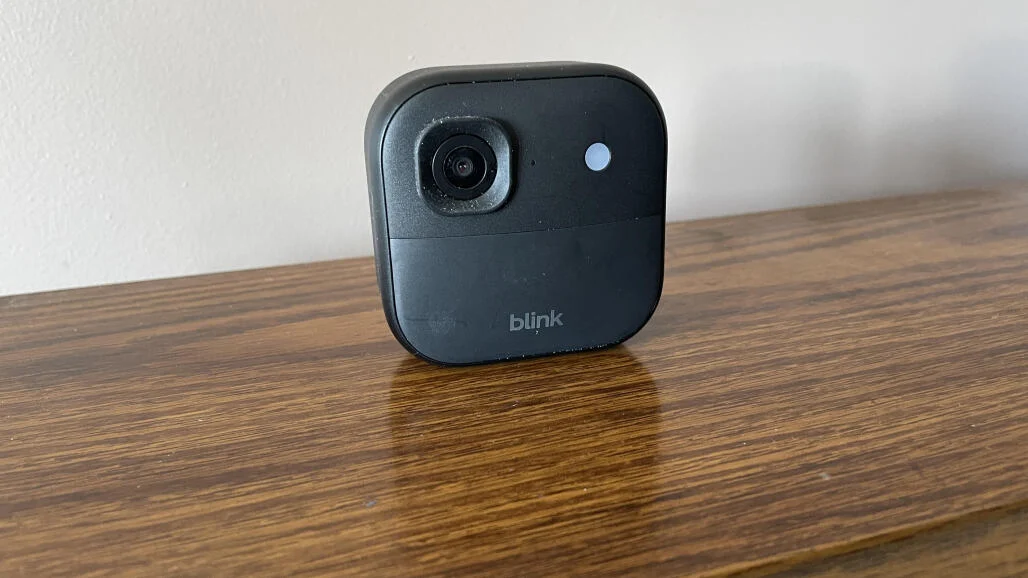
Home security doesn’t have to feel complicated or expensive-and that’s exactly where the Blink Outdoor 2K Plus steps in. Designed for people who want reliable outdoor surveillance without wires, drilling nightmares, or monthly stress, this camera brings sharper video, smarter detection, and flexible storage into a compact package.
Think of it like a silent guard posted outside your home-always awake, always watching, and never asking for a coffee break. With Amazon-backed Blink improving its lineup, the Outdoor 2K Plus aims to strike the perfect balance between performance, simplicity, and affordability.
What’s New in Blink Outdoor 2K Plus?
Blink didn’t reinvent the wheel, but they definitely upgraded it.
Upgraded 2K Video Resolution
The headline feature here is 2K video resolution, a noticeable jump from the older 1080p models. This means clearer faces, sharper license plates, and fewer “Was that a cat or a person?” moments. The added clarity is especially helpful when reviewing footage after an event.
Improved Motion Detection
Motion detection feels smarter and more refined. Instead of alerting you every time leaves dance in the wind, the camera does a better job of identifying relevant movement. You still get fast alerts—but with less noise.
Enhanced Night Vision
Infrared night vision has been tuned for better contrast and detail. While it’s still black-and-white, the image looks cleaner and more usable in total darkness.
Local and Cloud Storage Options
Blink continues its user-friendly approach by offering both cloud and local storage, giving you flexibility depending on your privacy preferences and budget.
Design and Build Quality
Compact and Weather-Resistant Design
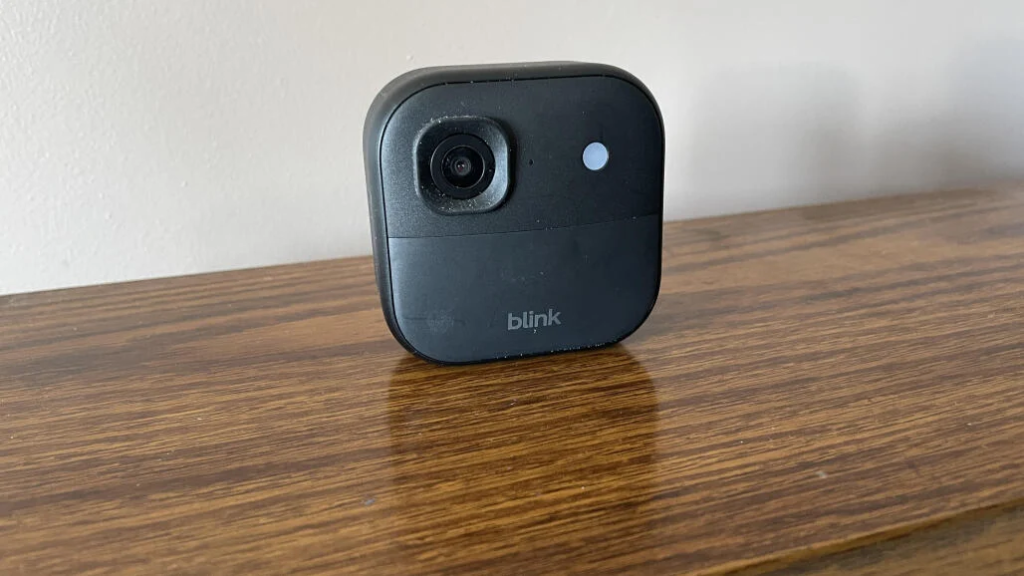
The Blink Outdoor 2K Plus is small, discreet, and doesn’t scream “security camera.” Its weather-resistant housing handles rain, dust, and temperature changes like a champ, making it suitable for year-round outdoor use.
Wireless and Battery-Powered Convenience
No wires. No power outlets. Just batteries and Wi-Fi. This wireless setup makes placement incredibly flexible-mount it on walls, fences, garages, or anywhere you need coverage.
Installation Flexibility
Even if you’re not a DIY person, installation feels refreshingly easy. Mounting takes minutes, and the app walks you through everything step by step.
Video and Audio Performance
Daytime Video Quality
During the day, the 2K resolution really shines. Colors are natural, details are crisp, and wide-angle coverage captures more of your surroundings without heavy distortion.
Nighttime and Low-Light Performance
At night, the camera switches to infrared mode automatically. While it’s not cinematic, it’s reliable and clear enough to identify movement and people without guesswork.
Two-Way Audio Experience
Two-way audio lets you talk through the camera using the Blink app. The sound quality is decent-perfect for warning delivery drivers, greeting guests, or telling suspicious visitors they’re on camera.
Smart Features and App Experience
Blink Home Monitor App Overview
The Blink app keeps things simple and intuitive. From live view to playback, everything is where you expect it to be. Even first-time users won’t feel lost.
Motion Zones and Alerts
Custom motion zones allow you to focus on key areas like doors or driveways. Alerts arrive quickly and can be adjusted to avoid constant notifications.
Live View and Event History
Live view loads fast, and event history is easy to browse. Whether you’re checking in from work or reviewing footage later, the experience feels smooth.
Storage Options Explained
Blink Subscription Plan
The optional Blink subscription unlocks cloud storage, extended video history, and advanced features. It’s affordable compared to competitors, but not mandatory.
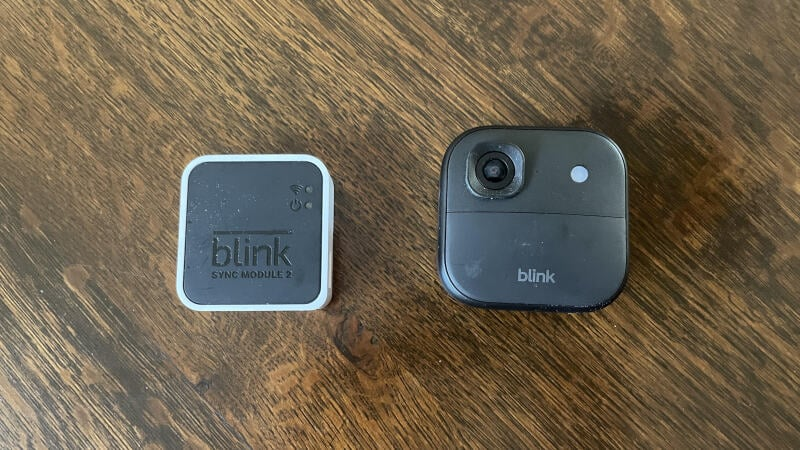
Local Storage via Sync Module
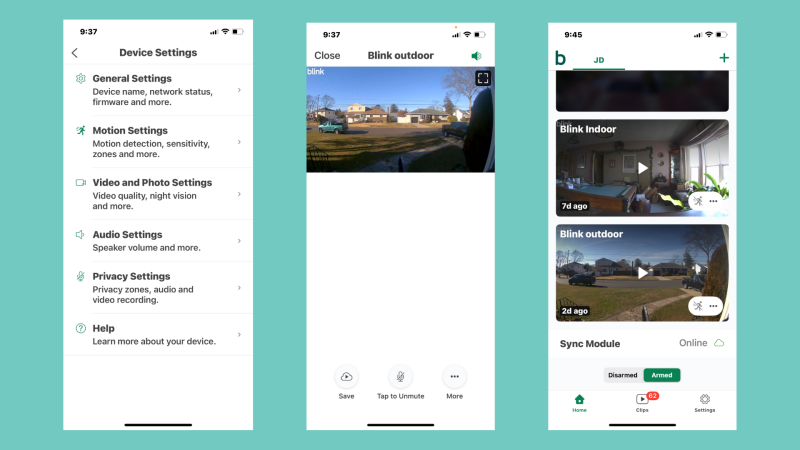
Prefer no monthly fees? Use the Blink Sync Module with a USB drive for local storage. It’s a great option for privacy-focused users.
Which Storage Option Is Right for You?
If convenience matters most, cloud storage is ideal. If privacy and savings matter more, local storage does the job just fine.
Smart Home Integration
Alexa Compatibility
As expected, Alexa integration is seamless. You can view live feeds on Echo Show devices and control the camera using voice commands.
Automation and Voice Commands
Simple automations add convenience, though advanced smart home routines are limited compared to higher-end systems.
Battery Life and Power Management
Real-World Battery Performance
Blink claims up to two years of battery life—and in real-world use, that’s not far off with moderate activity. Heavy motion events will drain batteries faster, but overall efficiency is impressive.
Tips to Maximize Battery Life
Lower motion sensitivity, limit live view usage, and position the camera wisely to extend battery life significantly.
Security and Privacy Features
Data Encryption
Blink uses encryption to protect your footage during transmission and storage, keeping your data safe from prying eyes.
Privacy Zones and User Controls
Privacy zones allow you to block off areas like neighboring properties, giving you control over what the camera records.
Pros and Cons of Blink Outdoor 2K Plus
Pros
- Sharp 2K video quality
- Excellent battery life
- Easy installation
- Affordable pricing
- Flexible storage options
Cons
- No color night vision
- Limited advanced smart features
- Some features require subscription
In-Depth Installation Guide: From Box to Live Feed
Setting up the Blink Outdoor 2K Plus is one of its strongest advantages, especially for users who don’t want to deal with electricians or complex wiring. Let’s walk through the process in real-world terms.
Unboxing Experience
Inside the box, you’ll find:
- Blink Outdoor 2K Plus camera
- Mounting bracket and screws
- AA lithium batteries
- Sync Module (in bundled versions)
- USB power cable
- Quick-start guide
Everything is neatly packed, and nothing feels cheap or rushed. Blink clearly understands that first impressions matter.
Step-by-Step Setup Process
- Insert Batteries – The camera powers on immediately.
- Download the Blink App – Available on Android and iOS.
- Add Device – Scan the QR code inside the camera.
- Connect to Wi-Fi – Takes less than a minute.
- Mount the Camera – Use screws or adhesive mounts.
From start to finish, setup usually takes under 10 minutes. Even beginners can handle it without frustration.
Optimizing Camera Placement for Best Results
Camera placement can make or break your security setup. Think of your Blink Outdoor 2K Plus like a lighthouse—it needs the right angle to shine effectively.
Best Height and Angle
- Mount 7–9 feet high for optimal coverage
- Tilt slightly downward to capture faces
- Avoid pointing directly at sunlight
Avoiding False Alerts
Position the camera away from:
- Trees and bushes
- Busy roads
- Reflective surfaces
This reduces unnecessary motion alerts and saves battery life.
Advanced Motion Settings Explained Simply
Motion settings are where many users get confused-but Blink keeps things refreshingly simple.
Motion Sensitivity Levels
You can fine-tune sensitivity based on:
- Low traffic areas (higher sensitivity)
- Busy areas (lower sensitivity)
This helps strike the perfect balance between awareness and peace of mind.
Activity Zones
Activity zones let you draw custom detection areas. For example:
- Include your front door
- Exclude the sidewalk
It’s like telling the camera, “Focus here, ignore the rest.”
Real-World Use Cases: How People Actually Use It
Homeowners
Most homeowners use the Blink Outdoor 2K Plus to:
- Monitor entrances
- Watch driveways
- Deter porch pirates
The visible presence of the camera alone acts as a deterrent.
Renters
Since it’s wireless and non-invasive, renters love it. No drilling into walls or violating lease agreements.
Small Business Owners
Shops, offices, and warehouses use it to:
- Monitor entrances
- Keep an eye on deliveries
- Improve after-hours security
It’s affordable enough to deploy multiple cameras without breaking the budget.
Long-Term Performance and Reliability
Daily Usage Experience
Over weeks and months, the camera remains:
- Stable
- Responsive
- Reliable
No frequent disconnects or app crashes-something that plagues many budget cameras.
Weather Performance Over Time
Rain, heat, dust—Blink Outdoor 2K Plus handles it all. Users report consistent performance even in harsh outdoor conditions.
Privacy Considerations: What You Should Know
Privacy is a growing concern, and Blink addresses it responsibly.
User-Controlled Recording
You decide:
- When recording is enabled
- Which areas are monitored
- Who can access footage
Account Security
Two-factor authentication adds an extra layer of protection, ensuring only authorized users can access your cameras.
Subscription Plan Breakdown: Is It Worth Paying For?
Let’s be honest—subscriptions are annoying. But Blink’s approach is fairly reasonable.
What You Get with Subscription
- 60-day video history
- Thumbnail previews
- Clip sharing and exporting
Who Should Subscribe
Subscribe if you:
- Want long-term video storage
- Review footage frequently
- Prefer cloud convenience
Who Can Skip It
Skip the subscription if:
- You only need live view
- Local storage is enough
- You want zero monthly costs
Troubleshooting Common Issues
Even great devices have occasional hiccups. Here’s how to fix the most common ones.
Camera Not Connecting to Wi-Fi
- Move closer to the router
- Use 2.4GHz Wi-Fi (recommended)
- Restart Sync Module
Too Many Notifications
- Lower motion sensitivity
- Adjust activity zones
- Disable notifications during certain hours
Battery Draining Fast
- Reduce live view usage
- Adjust motion frequency
- Avoid high-traffic placement
Blink Outdoor 2K Plus for Multi-Camera Systems
Planning to build a full security network? Good news.
Syncing Multiple Cameras
You can connect multiple Blink cameras to one Sync Module, making it easy to manage everything from a single app.
Scalability
Start with one camera and expand later. The system grows with your needs.
Cost Analysis: Value for Money
When you compare features, performance, and long-term costs, the Blink Outdoor 2K Plus offers excellent value.
Initial Cost vs Long-Term Savings
- No wiring installation fees
- Optional subscription
- Long battery life reduces maintenance costs
Over time, it’s cheaper than many competitors with mandatory subscriptions.
Expert Opinion: Where Blink Outdoor 2K Plus Stands in 2026
In a crowded market, Blink Outdoor 2K Plus stands out by doing the basics extremely well. It doesn’t overwhelm users with gimmicks—instead, it delivers reliability, clarity, and ease of use.
It’s not trying to be a luxury sports car. It’s a dependable SUV that gets the job done every day.
Blink Outdoor 2K Plus vs Competitors
Comparison with Arlo, Ring, and Eufy
Compared to Arlo, Blink is more affordable and battery-efficient. Against Ring, it offers better battery life and optional subscriptions. Eufy may offer more features, but Blink wins on simplicity and price.
Who Should Buy Blink Outdoor 2K Plus?
This camera is perfect for homeowners, renters, and small business owners who want reliable outdoor security without complexity. If you value ease of use, long battery life, and clear video, this is a solid choice.
Final Verdict: Is Blink Outdoor 2K Plus Worth It?
Absolutely. The Blink Outdoor 2K Plus delivers sharper video, dependable performance, and user-friendly features at a price that makes sense. It doesn’t try to be everything-but what it does, it does very well.
Conclusion
The Blink Outdoor 2K Plus proves that smart security doesn’t need to be complicated or expensive. With improved video quality, long battery life, and flexible storage, it’s a dependable solution for everyday home protection. Simple, smart, and effective-just the way security should be.
Buy NowYou also like this one: OnePlus Pad Go 2 Review
1. Does Blink Outdoor 2K Plus require a subscription?
No, but a subscription unlocks cloud storage and extra features.
2. Can it work without Wi-Fi?
No, Wi-Fi is required for live view and alerts.
3. Is Blink Outdoor 2K Plus weatherproof?
Yes, it’s designed for outdoor use in various weather conditions.
4. How long do the batteries last?
Up to two years with normal usage.
5. Does it support local storage?
Yes, via the Blink Sync Module with a USB drive.