Introduction to Modern Document Best Scanners in 2026
Let’s be honest, paper is stubborn. Even in a digital-first world, documents, photos, receipts, and contracts still pile up like laundry on a busy week. That’s where scanners step in as the unsung heroes of productivity. The best scanners in 2026 are faster, smarter, and more versatile than ever, turning messy paper chaos into neatly organized digital files in minutes.
Whether you’re a student, a home user, a small business owner, or managing a large office, choosing the right scanner can save time, money, and a whole lot of frustration.
Why Choosing the Right Scanner Matters
Picking a scanner isn’t just about price-it’s about performance, reliability, and matching the device to your real needs.
Home Use vs Office Use
A home user might scan bills or photos once a week, while an office scanner may process hundreds of pages daily. Using the wrong type is like bringing a bicycle to a highway-possible, but painfully inefficient.
Scanning Frequency and Volume
If you scan occasionally, a flatbed scanner will do just fine. But if scanning is part of your daily workflow, a high-speed sheet-fed scanner with an automatic document feeder (ADF) is non-negotiable.
Types of Scanners Explained
Understanding scanner types is the foundation of making a smart purchase.
Flatbed Scanners
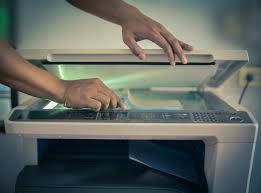
Flatbed scanners are the most common and beginner-friendly option. They work like a photocopier: place the document on the glass, close the lid, and scan.
Pros and Cons of Flatbed Scanners
Pros
- Excellent image quality
- Ideal for books and photos
- Affordable and widely available
Cons
- Slower for bulk scanning
- Manual page handling
Sheet-Fed Scanners
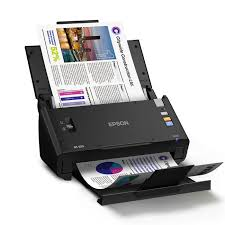
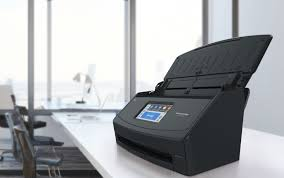
Sheet-fed scanners are designed for speed. Documents are fed automatically, making them perfect for offices.
When to Choose Sheet-Fed Models
If you scan contracts, invoices, or reports daily, this type will feel like a productivity cheat code.
Portable & Mobile Scanners
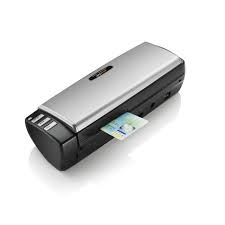
Portable scanners are lightweight and USB-powered, ideal for professionals on the move. Think of them as the travel-sized version of office scanners.
Photo Scanners
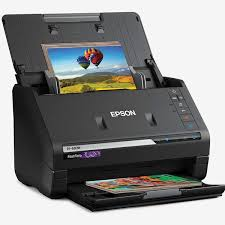
Photo scanners focus on color accuracy and high resolution. They’re designed for photographers, designers, and anyone preserving memories.
Key Features to Look for in the Best Scanner
A scanner is only as good as its features.
Scan Resolution (DPI)
Higher DPI means more detail. For documents, 300 DPI is enough. For photos, aim for 600 DPI or more.
Speed and ADF Capacity
Speed is measured in pages per minute (PPM). A good office scanner handles 25–40 PPM effortlessly.
Duplex Scanning
Duplex scanning captures both sides of a page in one pass. It’s a must-have for double-sided documents.
OCR and Software Support
OCR (Optical Character Recognition) converts scanned images into editable text. Without it, you’re stuck with static PDFs.
Best Scanners for Home Users
Home users should prioritize simplicity, compact size, and affordability. Flatbed scanners with decent OCR software are perfect for occasional use.
Best Scanners for Small Businesses
Small businesses need a balance of speed and quality. A mid-range sheet-fed scanner with duplex scanning and Wi-Fi connectivity hits the sweet spot.
Best Scanners for Large Offices
High-volume environments demand heavy-duty scanners with large ADFs, fast speeds, and network integration. These machines are built like tanks.
Best Photo Scanners for Professionals
Professional photo scanners deliver superior color accuracy and dynamic range. They’re essential for archiving old photos or creating high-quality prints.
Best Portable Scanners for Travelers
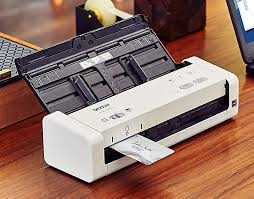
Portable scanners are lifesavers for consultants, auditors, and remote workers. Lightweight, USB-powered, and surprisingly powerful.
Scanner Connectivity Options
Connectivity determines how smoothly a scanner fits into your workflow.
USB
Reliable and fast, USB is ideal for single-user setups.
Wi-Fi and Network Scanning
Network scanners allow multiple users to scan wirelessly, perfect for offices.
Scanner Software and OCR Capabilities
Good hardware means nothing without good software. Modern scanners include tools for PDF management, cloud uploads, and advanced OCR.
Scanner Maintenance and Longevity
Regular cleaning, proper paper handling, and firmware updates can extend a scanner’s life significantly. Treat it well, and it will return the favor.
Common Scanner Buying Mistakes to Avoid
- Buying based on price alone
- Ignoring scan speed
- Overlooking software quality
- Choosing the wrong scanner type
Avoid these pitfalls, and you’ll thank yourself later.
How to Choose the Best Scanner for Your Needs
Ask yourself:
- How often will I scan?
- What type of documents?
- Do I need portability?
- Is OCR important?
Your answers will point you to the perfect scanner.
Future Trends in Scanner Technology
AI-powered OCR, cloud-first workflows, and ultra-compact designs are shaping the future. Scanners are becoming smarter, not just faster.
Final Verdict
The best scanners in 2026 are versatile, efficient, and designed for specific use cases. From home offices to enterprise environments, there’s a perfect scanner for everyone-you just need to know what to look for.
Conclusion
Choosing the right scanner is like choosing the right assistant-it should make life easier, not harder. With advancements in speed, software, and connectivity, modern scanners are powerful tools that bridge the gap between paper and digital. Whether you’re digitizing family photos or managing thousands of business documents, investing in the right scanner will pay off every single day.
May you also like it: Best Desktop Computers in 2026
1. What is the best scanner for home use in 2026?
A flatbed scanner with OCR and basic software is ideal for home users who scan occasionally.
2. Are portable scanners good for daily use?
Portable scanners are best for light, on-the-go scanning, not heavy daily workloads.
3. Do I really need duplex scanning?
If you scan double-sided documents often, duplex scanning saves time and effort.
4. What DPI is best for scanning photos?
For photos, 600 DPI or higher ensures excellent detail and clarity.
5. How long does a scanner usually last?
With proper maintenance, a quality scanner can last 5–8 years or more.