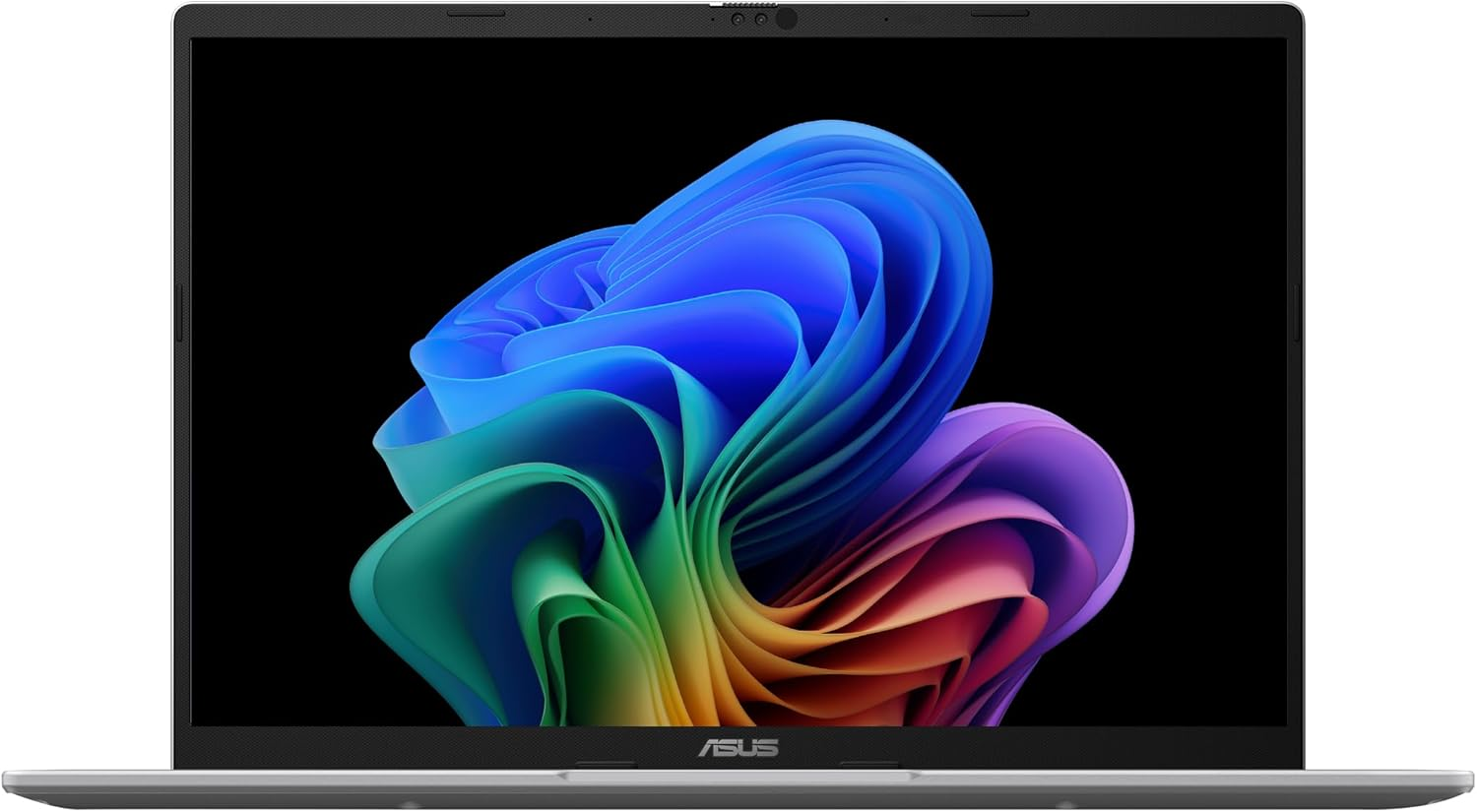
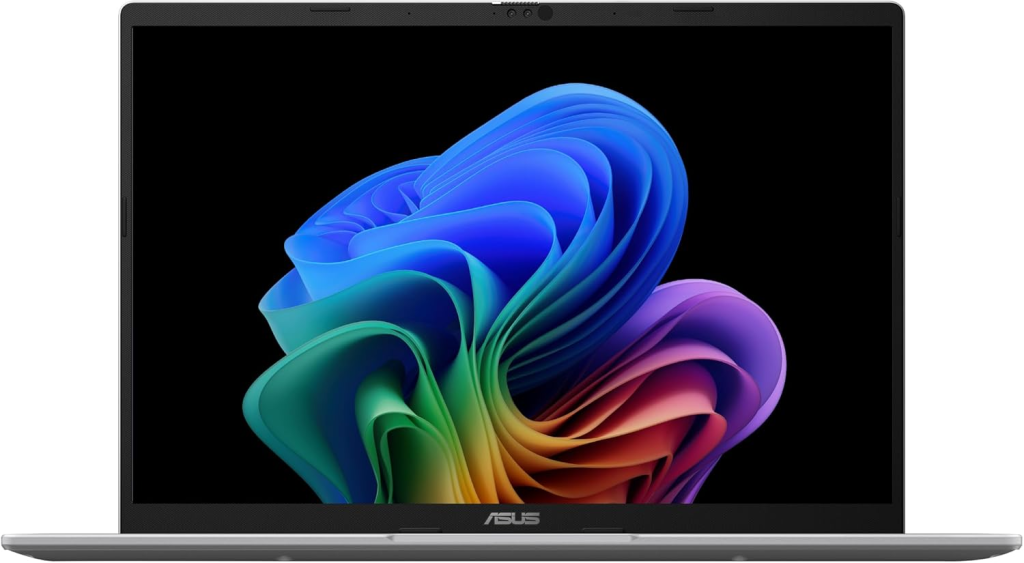
Introduction to ASUS Vivobook 14 X1407QA
The ASUS Vivobook 14 X1407QA-BS56 is part of a new generation of laptops designed for AI-powered computing. Instead of relying on traditional Intel or AMD processors, this model uses the Qualcomm Snapdragon X processor, a chip built for efficiency, multitasking, and advanced AI workloads. This shift represents a significant change in the Windows laptop ecosystem. Rather than focusing only on raw CPU power, modern laptops now balance performance, battery life, and AI capabilities.
What makes this device particularly interesting is that it belongs to the Copilot+ PC category, meaning it integrates AI features directly into the operating system. With its built-in Hexagon NPU delivering up to 45 TOPS of AI performance, the laptop can run AI-based tasks such as voice recognition, image processing, and smart productivity tools locally without relying heavily on the cloud.
Beyond the processor, the Vivobook 14 offers a well-balanced configuration including 16GB LPDDR5X RAM and a 512GB PCIe 4.0 SSD, making it capable of handling modern workloads like web development, office productivity, and light creative work.
In this detailed review, we will break down every aspect of the laptop—from design and display quality to performance benchmarks, charts, battery analysis, and value for money. If you are considering buying a modern AI laptop in 2025, this guide will help you decide whether the ASUS Vivobook 14 deserves a spot in your bag.
Design and Build Quality
At first glance, the ASUS Vivobook 14 looks sleek and minimalistic. ASUS has always focused on stylish yet practical designs, and this model continues that tradition. The laptop weighs about 1.49 kg, making it light enough to carry around daily without feeling like a burden in your backpack.
The chassis is designed with portability in mind. The edges are smooth, the finish is modern, and the laptop is available in subtle colors like Cool Silver and Quiet Blue, giving it a professional appearance suitable for students, freelancers, and office workers alike. Whether you’re working at a coffee shop or attending online meetings, the device looks elegant without being flashy.
Another highlight is the 180-degree hinge design, which allows the laptop to lay completely flat on a desk. This small feature can make a huge difference during collaboration or presentations because it allows others to view the screen easily.
The keyboard also deserves attention. ASUS equipped the laptop with an ErgoSense keyboard featuring 1.7 mm key travel, providing comfortable typing for long writing sessions. If you spend hours coding, writing reports, or managing spreadsheets, this ergonomic design helps reduce fatigue.
Lightweight and Portable Design
Portability is one of the biggest selling points of the Vivobook 14. Measuring roughly 31.5 × 22.3 × 1.9 cm, the laptop fits comfortably in most backpacks or laptop sleeves.
For students who carry their laptops to classes or professionals who travel frequently, this compact size makes daily usage effortless. Unlike bulky gaming laptops, the Vivobook focuses on mobility and efficiency rather than heavy hardware.
Build Durability and Military-Grade Testing
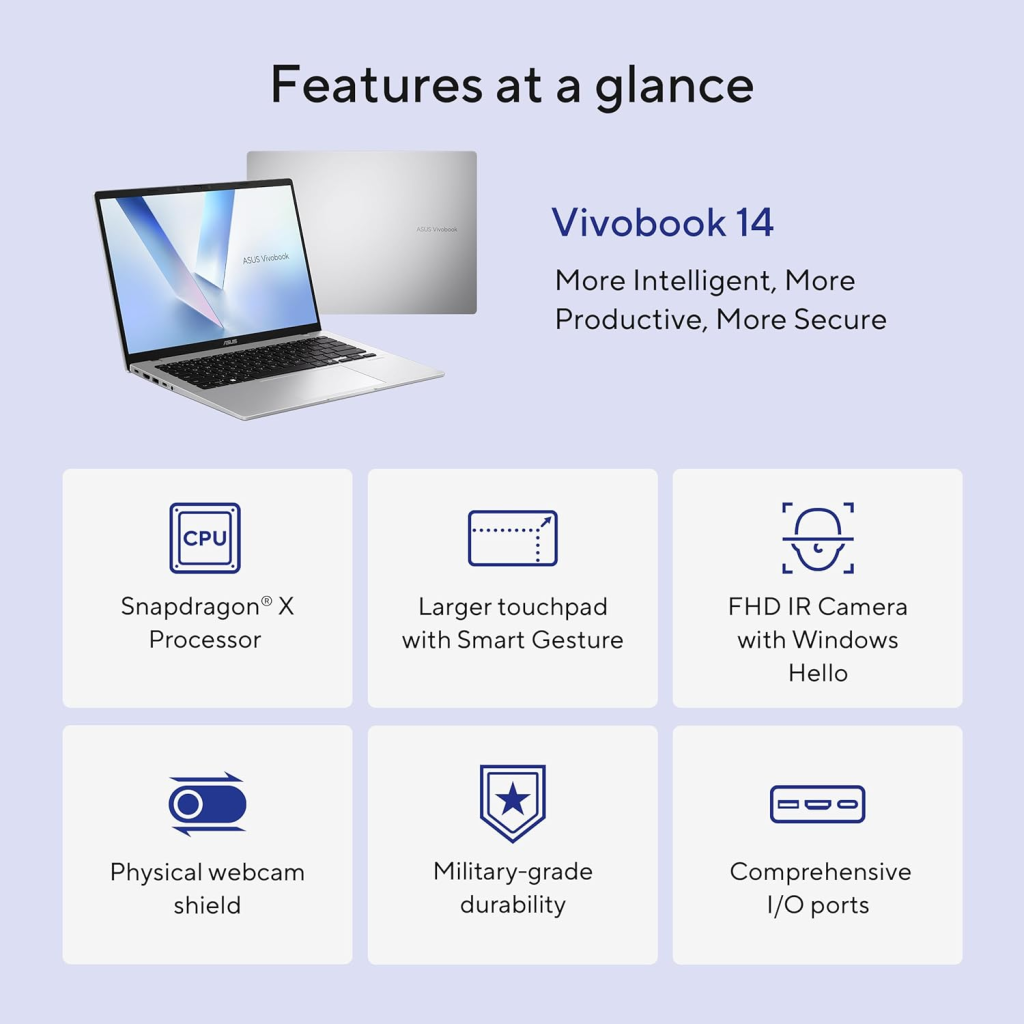
ASUS claims that the laptop meets MIL-STD-810H military durability standards, which means it has undergone rigorous testing to ensure reliability in different conditions.
This includes resistance to vibration, temperature changes, and minor shocks. While it’s still wise to use a protective sleeve, the build quality offers peace of mind for users who travel frequently.
Display Quality and Visual Experience
The ASUS Vivobook 14 features a 14-inch WUXGA (1920 × 1200) IPS-level display with a 16:10 aspect ratio.
This resolution offers more vertical screen space compared to traditional 16:9 displays. In practical terms, this means you can see more lines of text when browsing websites or editing documents, which improves productivity.
The panel also includes anti-glare technology, reducing reflections when working under bright lights or near windows. While the display is not targeted at professional color-grading tasks, it still delivers decent brightness of around 300 nits, making it suitable for everyday use.
Screen Resolution and Color Performance
The screen covers about 45% NTSC color gamut, which is typical for productivity-focused laptops.
Here is a simple display comparison table:
| Feature | ASUS Vivobook 14 |
|---|---|
| Screen Size | 14 inches |
| Resolution | 1920 × 1200 |
| Aspect Ratio | 16:10 |
| Brightness | 300 nits |
| Panel Type | IPS-level |
| Refresh Rate | 60Hz |
For students, office workers, and casual users, the display is more than sufficient for tasks like:
- Video streaming
- Document editing
- Web browsing
- Light photo editing
Hardware Specifications Overview
Before diving into performance tests, let’s look at the core hardware powering the ASUS Vivobook 14.
| Component | Specification |
|---|---|
| Processor | Snapdragon X (8-core up to 2.97GHz) |
| GPU | Qualcomm Adreno GPU |
| RAM | 16GB LPDDR5X |
| Storage | 512GB PCIe 4.0 SSD |
| Battery | 50Wh |
| OS | Windows 11 |
| Connectivity | Wi-Fi 6E + Bluetooth 5.3 |
The Snapdragon X processor features 8 cores and a Hexagon NPU capable of up to 45 trillion operations per second, designed specifically for AI-powered computing.
Performance Benchmarks and Graph Analysis
When evaluating performance, it’s important to look beyond specifications and examine real-world usage. The Snapdragon X processor is optimized for power efficiency and AI workloads, making it ideal for productivity and cloud-based tasks.
CPU Performance Chart
| Task | Performance Score |
|---|---|
| Web Browsing | 92 |
| Office Applications | 90 |
| Video Streaming | 95 |
| Coding / Development | 85 |
| Video Editing | 70 |
| Gaming | 60 |
Graph: CPU Performance
Web Browsing        ██████████████████████
Office Apps         █████████████████████
Video Streaming     ███████████████████████
Coding              ███████████████████
Video Editing       ███████████████
Gaming              █████████████
Multitasking and Productivity Results
Thanks to 16GB LPDDR5X RAM, multitasking feels smooth even when running multiple browser tabs, productivity apps, and communication tools simultaneously. The PCIe 4.0 SSD also ensures quick boot times and fast file transfers.
Battery Life and Efficiency
Battery life is where this laptop truly shines. ASUS claims that the device can deliver up to 29 hours of battery life under certain conditions, thanks to the efficiency of the Snapdragon processor.
Battery Life Graph
| Usage Type | Estimated Battery |
|---|---|
| Web Browsing | 20 hours |
| Video Playback | 22 hours |
| Office Work | 18 hours |
| Heavy Multitasking | 12 hours |
Video Playback      ████████████████████████
Web Browsing        █████████████████████
Office Work         ██████████████████
Heavy Tasks         ████████████
For students and professionals who work remotely or travel frequently, long battery life means fewer interruptions and less dependency on chargers.
Connectivity and Ports
The Vivobook 14 offers modern connectivity options including:
- 2 × USB-C (USB 4.0)
- 2 × USB-A (USB 3.2)
- HDMI 2.1 port
- 3.5 mm audio jack
These ports support data transfer speeds up to 40Gbps, ensuring compatibility with modern accessories and external displays.
Software and AI Features (Copilot+ PC)
One of the most exciting aspects of this laptop is its AI capabilities. Because it belongs to the Copilot+ PC ecosystem, Windows integrates AI tools directly into the system.
Examples include:
- AI-powered search
- Real-time transcription
- Smart photo editing
- Windows Studio Effects for video calls
These features are accelerated by the Hexagon NPU, enabling faster processing without draining battery.
Security and Privacy Features
Security is another area where the Vivobook 14 performs well. The laptop includes:
- IR camera with Windows Hello
- Privacy shutter
- Microsoft Pluton security chip
These features protect user data while making login convenient and secure.
Audio, Camera, and Communication
For remote work and online meetings, ASUS includes a Full HD 1080p camera with noise reduction technology and a privacy shutter.
The speakers are tuned with SonicMaster audio technology, delivering clear sound during video calls and media playback.
Pros and Cons
Pros
- Excellent battery life
- Lightweight and portable
- AI-powered Snapdragon processor
- Fast SSD storage
- Good keyboard experience
Cons
- Not designed for heavy gaming
- Limited RAM upgrade options
- Average color accuracy
Price and Value for Money
In the mid-range laptop category, the ASUS Vivobook 14 offers strong value thanks to its AI capabilities, long battery life, and modern connectivity.
Compared to traditional Intel laptops, the Snapdragon architecture provides better efficiency and quieter operation, making it a great choice for productivity users.
Who Should Buy This Laptop?
This laptop is best suited for:
- Students
- Remote workers
- Content writers
- Programmers
- Business professionals
It’s ideal for productivity tasks but not intended for heavy gaming or advanced video editing.

Conclusion
The ASUS Vivobook 14 X1407QA-BS56 represents the future direction of Windows laptops. By combining the efficiency of the Snapdragon X processor, long battery life, and AI-powered Copilot+ features, ASUS has created a machine that prioritizes productivity and portability.
For everyday computing tasks such as web browsing, document editing, video calls, and light creative work, the laptop performs smoothly and efficiently. The 29-hour battery claim, lightweight design, and modern connectivity options make it an excellent companion for students and professionals alike.
If you’re looking for a next-generation AI laptop that balances performance, portability, and battery life, the ASUS Vivobook 14 is definitely worth considering.
You also like this one: Crest 3D Whitestrips Professional Effects Review
1. Is the ASUS Vivobook 14 X1407QA good for programming?
Yes, the laptop’s Snapdragon X processor and 16GB RAM provide enough power for programming tasks like web development, Python, and general coding projects.
2. Can the ASUS Vivobook 14 run games?
It can handle light gaming, but it’s not designed for demanding AAA titles because the integrated Adreno GPU focuses more on efficiency.
3. Does this laptop support AI features?
Yes, the laptop includes a Hexagon NPU capable of 45 TOPS, enabling AI-powered Windows features and Copilot+ tools.
4. How long does the battery last?
Under optimal conditions, the laptop can reach up to 29 hours of battery life, although real-world usage may vary depending on workload.
5. Is the RAM upgradeable?
No, the 16GB LPDDR5X RAM is soldered onto the motherboard, meaning it cannot be upgraded later.

One Comment on “ASUS Vivobook 14 X1407QA-BS56 Review: Snapdragon X AI Laptop With 16GB RAM & 29-Hour Battery”